Appearance
单点登录
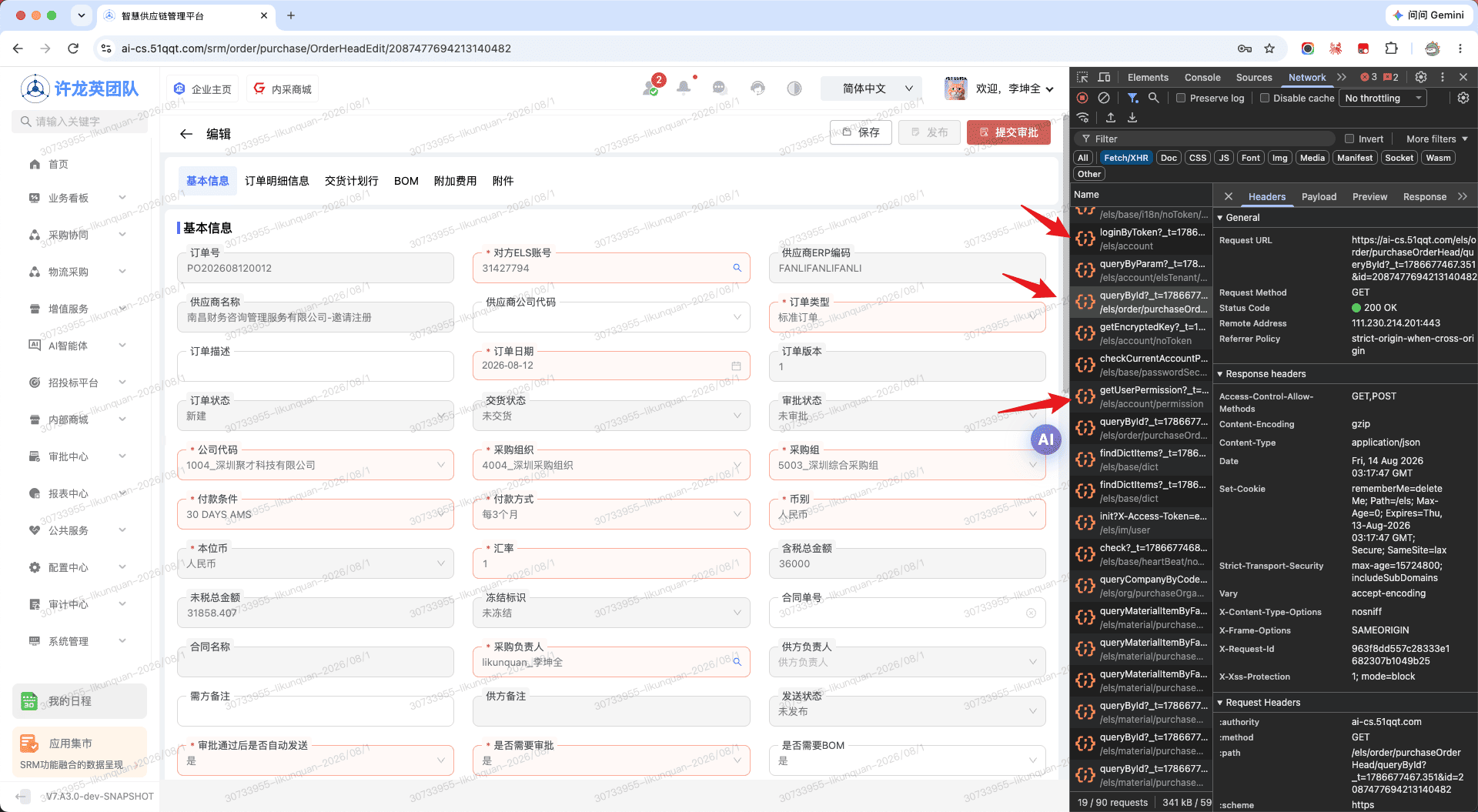
OA审批跳转, 单点登录 => SRM模块审批详情页面
TIP
项目开发通常需要对接 OA 等第三方系统,并实现单点登录并跳转至各模块审批详情页的需求
- 代码实现
- 约定 url 跳转地址格式, 比如:
https://ai-cs.51qqt.com/user/login?redirect=/srm/bpm/before/2018150243634462721&token=eyJhbGciOiJIUzI1NiIsInR5cCI6IkpXVCJ9.eyJhY2NvdW50Ijoia0FWSTMxTDFuUkNmcWtPalowODgwMWVnbGVJL3k2Q0lvWkI5SUlKcFd2L3ZiTGgwRFR2M3dLZ3Y2bWJoSVN6WFZJbkRIUm1PeGFJcnAvZ2JKVVpnd1E9PSIsImV4cCI6MTc3NjY4MDIzMX0.6aZhOK8ZcMGBjl4-UbWYeNFsdPSkjYmIapJowfJW5SQ - 本地路由,用一个中间页面作数据处理,如上述的
/srm/bpm/before/:id, 根据路由动态id, 获取表头数据后跳转页面等操作; - 组装实现业务跳转逻辑代码
vue
<script lang="ts" setup>
//...
const resetStore = () => {
  nextTick(() => {
    // 清空各模块列表页当前行缓存数据
    pageStore.$reset();
    // 清空当前登录人动态授权信息
    userStore.$reset();
    // 清空动态路由权限
    permissionStore.$reset();
    // 清空tabs
    tabsStore.$reset();
  });
};

const loginByToken = () => {
  const {
    token = '',
    id = '',
    dataDetailUrl = '', // 明细接口
  } = route.query || {}

  if (token) {
    resetStore()
    loginLoading.value = true
    Request.registerModuleAction('LoginModule/loginByToken', { token: token }).then((res) => {
      loginLoading.value = false
      if (res && res.success) {
        if (id && dataDetailUrl) {
          setToken(res.result.token)
          // ⚡ 第三方跳转设置表头缓存
          Request.get({ url: dataDetailUrl as string, params: { id } })
            .then((sub) => {
              if (sub.success) {
                setCurrentRow(sub.result)
              }
            })
            .finally(() => {
              onLoginFinish(res)
            })
        } else {
          onLoginFinish(res)
        }
      } else {
        Message.error(res.message)
        router.replace({ path: '/user/login' })
      }
    })
  }
}
//...
</script>ts
export const ssoRouter = {
  path: "/srm/bpm/before/:id",
  route: "1",
  meta: {
    keepAlive: false,
    title: "待办审批跳转",
    titleI18nKey: "",
  },
  name: "srm-bpm-before",
  component: () => import("@views/srm/bpm/task/before.vue"),
};vue
<!--
 * @Author: wangxin
 * @Description: 单点登录审批跳转
-->
<template>
  <div class="ToDoBefore">
    <a-spin :spinning="loading">
      <div class="container">
        <div class="wrapper">
          <div class="content">
            <div class="info">
              <QSymbolIcon class="icon" type="icon-Q-success" :size="380" />
              <div class="tip">
                <h5 class="ant-typography" v-if="loading">
                  <span class="ant-typography ant-typography-danger">
                    {{
                      srmI18n(
                        "i18n_alert_ELuKsVRS_67b8860f",
                        "页面加载中,请稍后"
                      )
                    }}...
                  </span>
                </h5>
              </div>
            </div>
          </div>
        </div>
      </div>
    </a-spin>
  </div>
</template>

<script setup lang="ts">
import { ref, watch } from "vue";
import { useRoute } from "vue-router";
import qqtApi from "@qqt-product/api";
// 国际化
import { srmI18n } from "@/utils/srmI18n";

import { QSymbolIcon } from "@qqt-product/icons";

import type {
  GlobalPageLayoutTypes,
  GlobalListPageLayoutTypes,
} from "@qqt-product/ui";

import useJumpDetailHook from "@/views/srm/bpm/hook/useJumpDetailHook";

// 工具函数及types
import qqtUtils from "@qqt-product/utils";

const { delay } = qqtUtils;

const route = useRoute();
const Request: qqtApi.Request = qqtApi.useHttp();

const useJumpDetail = useJumpDetailHook();

const listLayoutRef = ref<any>({});

const loading = ref<boolean>(true);

const jumpToDetail = (row) => {
  delay(() => {
    useJumpDetail.jumpDetail(
      { row } as GlobalListPageLayoutTypes.ListOptionsEventParams,
      listLayoutRef,
      false
    );
  }, 300);
};

const fetchData = (id: string) => {
  if (!id) {
    return;
  }

  // 代办审批列表查询
  const url = "/workflow/task/todo/list";
  // 已办审批列表查询
  const historyUrl = "/workflow/task/history/list";
  const params = {
    id: id,
    order: "desc",
    column: "id",
    pageNo: 1,
    pageSize: 20,
  };
  Request.get({ url, params }).then((res) => {
    if (res.success) {
      const records = res.result
        .records as GlobalPageLayoutTypes.RecordString[];
      if (records.length) {
        jumpToDetail(records[0]);
      } else {
        Request.get({ url: historyUrl, params }).then((subRes) => {
          const records = subRes.result
            .records as GlobalPageLayoutTypes.RecordString[];
          if (records.length) {
            jumpToDetail(records[0]);
          }
        });
      }
    }
  });
};

// watch the params of the route to fetch the data again
watch(
  () => route.params.id,
  (id) => fetchData(id as string),
  { immediate: true }
);
</script>

<style lang="less" scoped>
.ToDoBefore {
  .container {
    background-color: #eff2f5;
    padding: 12px;
    height: 100vh;
  }
  .wrapper {
    position: relative;
    border-radius: 12px;
    background: #fff;
    width: calc(100vw - 24px);
    height: calc(100vh - 24px);
    min-width: 1000px;
  }
  .content {
    position: absolute;
    left: 50%;
    top: 30%;
    transform: translate(-50%, -30%);
  }
  .info {
    display: flex;
    flex-direction: column;
  }
  .tip {
    text-align: center;
  }
}
</style>示例
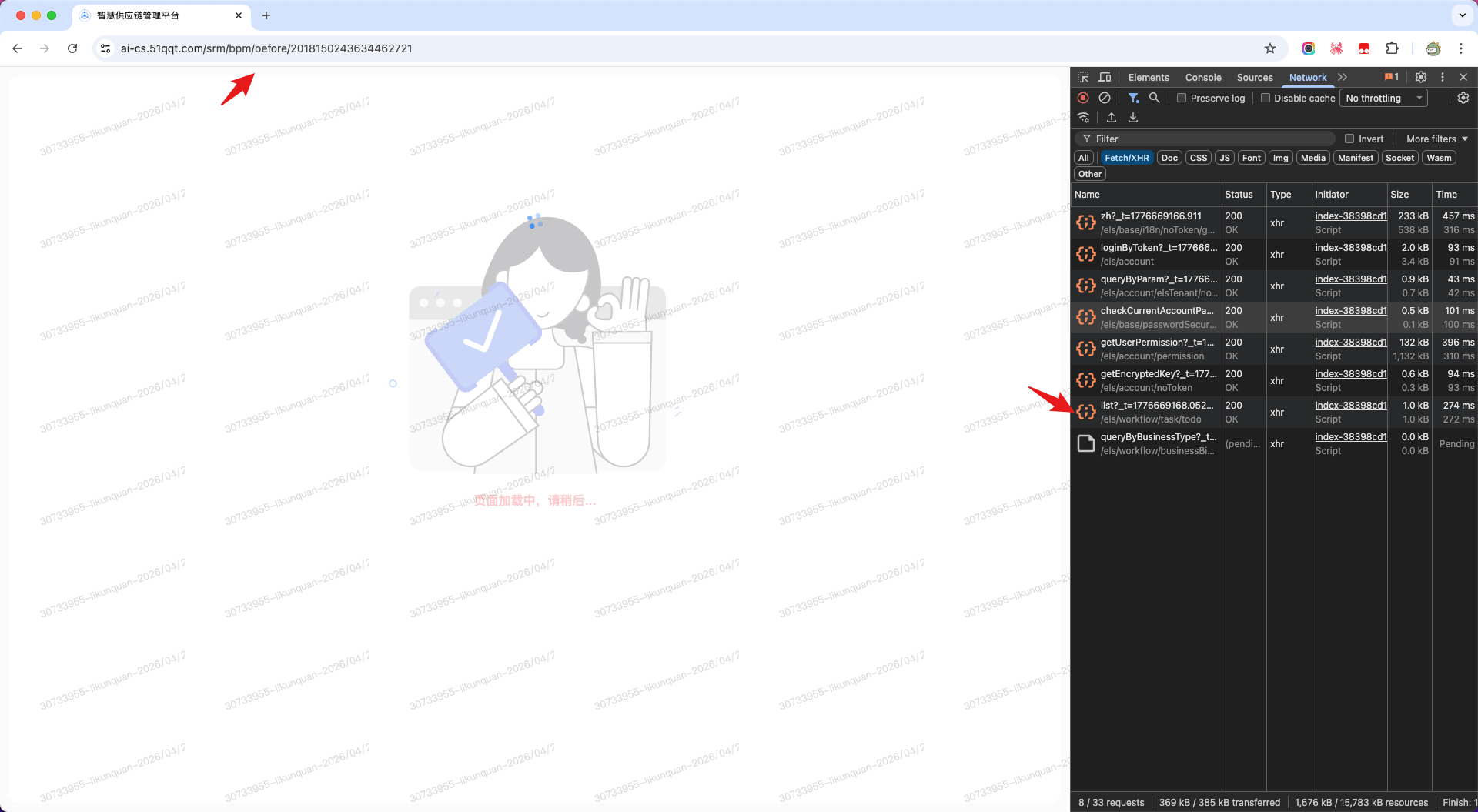
OA单点登录,单点登录 => SRM模块详情或编辑页面
- 代码实现
- 约定消息设置 url 链接地址格式, 比如:
https://ai-cs.51qqt.com/user/login?redirect=/srm/order/purchase/OrderHeadEdit/2087477694213140482&id=2087477694213140482&dataDetailUrl=/order/purchaseOrderHead/queryById&token=eyJhbGciOiJIUzI1NiIsInR5cCI6IkpXVCJ9.eyJhY2NvdW50Ijoia0FWSTMxTDFuUkNmcWtPalowODgwMWVnbGVJL3k2Q0lvWkI5SUlKcFd2L3ZiTGgwRFR2M3dLZ3Y2bWJoSVN6WFZJbkRIUm1PeGFJcnAvZ2JKVVpnd1E9PSIsImV4cCI6MTc4NjY4OTE1M30.2cy_R8B9frGm6rRjNUMmyeIZ7XNHcySEZlu1wWozVP4
TIP
url 格式说明: redirect: 需要跳转的前端路由地址,从菜单管理配置中获取, 比如采购订单编辑页为 /srm/order/purchase/OrderHeadEdit/:id; id: 单据的表头ID; dataDetailUrl: 模块的明细查询接口,比如采购订单为: /order/purchaseOrderHead/queryById, /els 是 baseURL 配置,不用写;
- 在
/src/views/user/login.vue实现单点登录、页面跳转业务逻辑
vue
<script lang="ts" setup>
//...
const resetStore = () => {
  nextTick(() => {
    // 清空各模块列表页当前行缓存数据
    pageStore.$reset();
    // 清空当前登录人动态授权信息
    userStore.$reset();
    // 清空动态路由权限
    permissionStore.$reset();
    // 清空tabs
    tabsStore.$reset();
  });
};

const loginByToken = () => {
  const {
    token = '',
    id = '',
    dataDetailUrl = '', // 明细接口
  } = route.query || {}

  if (token) {
    resetStore()
    loginLoading.value = true
    Request.registerModuleAction('LoginModule/loginByToken', { token: token }).then((res) => {
      loginLoading.value = false
      if (res && res.success) {
        if (id && dataDetailUrl) {
          setToken(res.result.token)
          // ⚡ 第三方跳转设置表头缓存
          Request.get({ url: dataDetailUrl as string, params: { id } })
            .then((sub) => {
              if (sub.success) {
                setCurrentRow(sub.result)
              }
            })
            .finally(() => {
              onLoginFinish(res)
            })
        } else {
          onLoginFinish(res)
        }
      } else {
        Message.error(res.message)
        router.replace({ path: '/user/login' })
      }
    })
  }
}
//...
</script>示例